KDP Interior Daily Planner Bundle: Mega Editable Templates
There is a quiet but consistent demand on Amazon for daily planners that feel both structured and open-ended. Publishers who tap into this niche quickly learn that the interior pages define the user experience just as much as any cover design. This is where a clean, professionally built set of templates changes the pace of your work. The KDP Interior Daily Planner Bundle is not a single file with a couple of variations. It is a carefully assembled collection of ten distinct daily planner interiors, all delivered as fully editable vector files in Adobe Illustrator and EPS formats. What sets it apart from a random template download is the foundation it offers: every element can be resized, restyled, and reshaped without losing crispness, so you can tailor each planner to a specific audience or purpose.
For anyone building a low-content publishing catalog on Amazon, the difference between a generic interior and one that can be adapted in minutes often translates directly to how many unique products you can launch in a month. This bundle was built with that practical rhythm in mind. You are not locked into a fixed layout; you start with a vector backbone that bends to your brand, your formatting preferences, and the exact size you want to sell.
What Actually Sits Inside the Mega Bundle
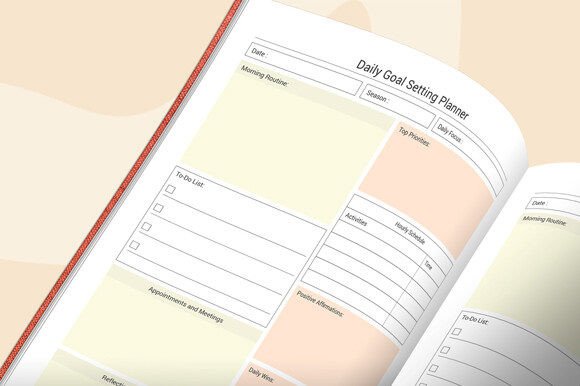
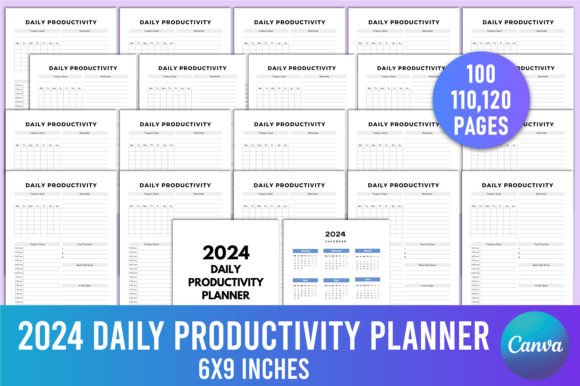
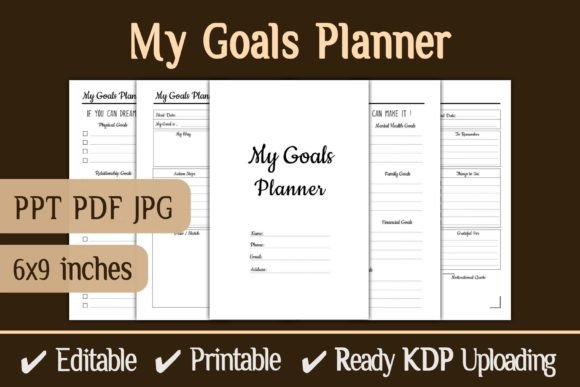
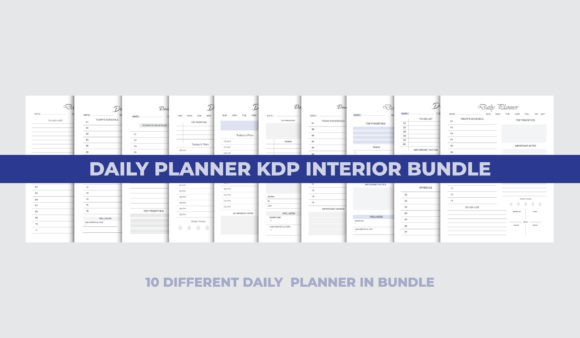
When you open the folder, you are not met with a single layered AI file and asked to figure out the rest. The bundle delivers ten separate editable daily planner templates, each with its own logic and layout flow. Some favor a minimalist time-blocking structure. Others lean toward a more detailed breakdown with priority lists, meal trackers, or hourly schedules. The thread tying them together is the design finesse—clean lines, balanced white space, and a professional typesetting that feels trustworthy. Because these are vector files, you get to move sections, remove sections, change fonts, and adjust color palettes without ending up with a pixelated mess. That is the real advantage of having the main template in AI and EPS formats; the files are resolution-independent, so a 6×9 planner and an 8.5×11 notebook both get the same sharp output.
The word “mega” in this context is not about inflating numbers. It points to the versatility baked into the collection. You can pull an hourly schedule from one template, merge it with a habit tracker from another, and still keep the handcrafted feel that customers recognize. This kind of remixing is what transforms a simple template into a content engine that can fuel dozens of distinct KDP listings.
Why Vector Flexibility Matters More Than You Think
Many ready-made interiors come as fixed PDFs or flat PNG pages. Those are fine if you never need to change a thing. But planners are personal. One customer base wants a Monday start, another insists on Sunday. Some audiences prefer a soft neutral palette, while others buy bold and structured. With the KDP Interior Daily Planner Bundle, all those adjustments happen natively inside Illustrator or any EPS-compatible design tool. You can stretch a column, shift a header, or insert your own branded footer without worrying that the background pattern will crack or the line weights will warp. This level of control extends the life of your product line far beyond a single launch. When the next design trend arrives, you can refresh the interiors without purchasing new assets.
It also helps with print readiness. KDP's requirements for bleed, margins, and safe zones can feel unforgiving if your template is only available in a fixed dimension. Vector graphics let you scale and reposition elements to meet exact trim specifications. An interior that prints perfectly on cream paper at 6×9 can be reworked for a larger trim size with only a few adjustments, saving you the headache of rebuilding from scratch.
Real-World Scenarios for the Daily Planner Interiors
Think beyond the straightforward “2025 diary” listing. A life coach might take two of the ten designs, customize the header typography, add a subtle gratitude section, and offer them as a client workbook companion. The same bundle can supply a freelance designer with a head start on custom planners for Etsy, printed on demand through a local shop, because the EPS format is widely accepted by print production workflows. An online educator could pull the daily structure framework, simplify it, and create a student study planner that complements a course—no need to commission an original layout for a low-volume project.
Business owners who run accountability groups or masterminds often want a branded daily reflection tool. With editable vectors, inserting a logo, a mission statement, or a set of curated prompts becomes a ten-minute task rather than a design back-and-forth. The bundle essentially removes the barrier between having an idea for a daily productivity tool and having a print-ready file that looks coherent and professional.
Personal Productivity That Doesn't Look Generic
Not every user is a publisher. Professionals who want to create their own bespoke daily planner for personal use find that starting from a well-structured template eliminates decision fatigue. You pick the layout that matches your thinking style—maybe the one with a clear priority quadrant—add your own recurring tasks, and export a PDF to print locally or load into a digital note-taking app. Because the source files are editable, you can even adjust the language or swap out icons to match your workflow vocabulary. Something as simple as renaming “to-do” to “focus tasks” makes the planner feel like yours, not a store-bought compromise.
Building a Cohesive Brand Ecosystem
For entrepreneurs who already sell journals, workbooks, or digital products, consistency in interior design reinforces brand recognition. If your brand leans minimalist and airy, the clean templates in this bundle can be monochromed and softened. If your audience responds to energetic layouts, you can introduce gentle accent colors and keep the structure. Having ten starting points means you can release a series of planners—daily, student, wellness, business—that share a subtle design DNA. Customers notice that coherence, and it builds trust over multiple purchases.
What to Look for When Choosing an Editable Planner Bundle
Not every bundle labeled “editable” holds the same caliber. When evaluating the KDP Interior Daily Planner Bundle or any similar resource, pay attention to the file types provided. Vector formats like AI and EPS are non-negotiable if you want true scalability. Check whether the templates include placeholder text that is easy to remove. A good bundle will use standard fonts or at least avoid obscure typefaces that are hard to replace. Also, look for logical layer organization inside the Illustrator file. Well-named layers mean you can jump to the exact element you want to edit without hunting through dozens of unlabeled objects.
Licensing matters too. This mega bundle is built for commercial KDP publishing, so you are not left guessing whether you can sell the planners you create. Still, read the included terms to confirm that printing and reselling the interior pages as part of a bound planner is explicitly allowed. The confidence that comes from clear licensing lets you focus on design and marketing rather than legal gray areas.
A Practical Workflow: From Template to Live Listing
Starting with all ten templates can feel overwhelming, but a straightforward workflow turns that abundance into an advantage. Begin by selecting the two or three layouts that align best with your target customer. Open them in Illustrator, and immediately save a copy so the original stays intact. Decide on your trim size—6×9 is popular for daily planners, but you might choose 8.5×11 for a desk edition. Adjust the artboard size and snap the elements back into the safe zone using guides. Then make your customization passes: fonts, colors, section headings, and any affiliate or brand links you want to include in the footer.
Export each page as a high-resolution PDF with bleed and crop marks if required by KDP. Before uploading, open the PDF on different screens to check readability. Print a couple of test pages on your home printer to see how line weights and grey tones translate to paper. This manual check can reveal subtle issues—like a date column that sits too close to the spine—before a single copy ships to a customer. With the bundle's vector base, any last-minute tweak is a smooth edit, not a redesign.
Who Gets the Most Value from This Mega Bundle
The obvious fit is the KDP publisher who wants to increase the number of planner variations in their catalog without spending months on design. But the usefulness stretches further. Corporate trainers who craft internal team handbooks, HR departments that create wellness trackers, and nonprofit organizers who produce volunteer schedules all stand to gain from having editable daily planner structures at hand. Even marketing agencies that offer content upgrades can use a modified interior as a lead magnet—an attractive daily productivity guide that subscribers receive in exchange for an email address.
Freelance designers often take on custom planner projects on short deadlines. Keeping a high-quality template library stocked with files like the ones in the KDP Interior Daily Planner Bundle cuts down on late-night layout stress. You stay responsive to client requests that sound simple—“Can we move the gratitude section to the morning page?”—without billing extra hours for complete reworks. That kind of efficiency makes smaller projects profitable and repeatable.
Keeping Your Planners Fresh Over Time
One of the quiet strengths of editable vectors is that they age well. A dated interior can be modernized by swapping a serif header for a clean geometric sans-serif and lightening the linework. As design sensibilities shift, you can revisit the ten base templates and pull out new combinations. The bundle becomes a long-term asset rather than a one-time purchase. Pair that with seasonal cover updates, and you can maintain an evergreen planner series that continues to generate passive income.
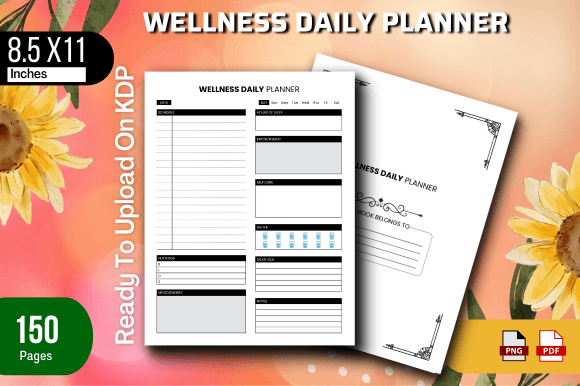
You might also blend elements from two templates to create a hybrid that solves a specific pain point. For example, combining a robust hourly schedule from one layout with a detailed meal and water tracker from another yields a wellness-focused daily planner without starting from a blank canvas. Small innovations like these help your products stand out in a crowded marketplace, and they are only possible when the underlying files give you full creative control.
Any publisher or creator who has wrestled with rigid PDF templates understands the relief that comes with opening an AI file where every line and label is at your command. The KDP Interior Daily Planner Bundle taps into that need for control while offering enough variety to keep your product line evolving. It is not a magic button for instant success, but it is a solid, practical foundation for anyone serious about building thoughtful, well-designed daily planners on Amazon or beyond. Approach it with a clear sense of who you are designing for, and the editable assets will handle the heavy lifting on the production side.